Exposure
Control exposure with the Shutter, Exposure Index (EI), and ND Filter widget families. Each family offers a main display plus increment/decrement and other variants you can swap between while keeping the same grid position.
Shutter
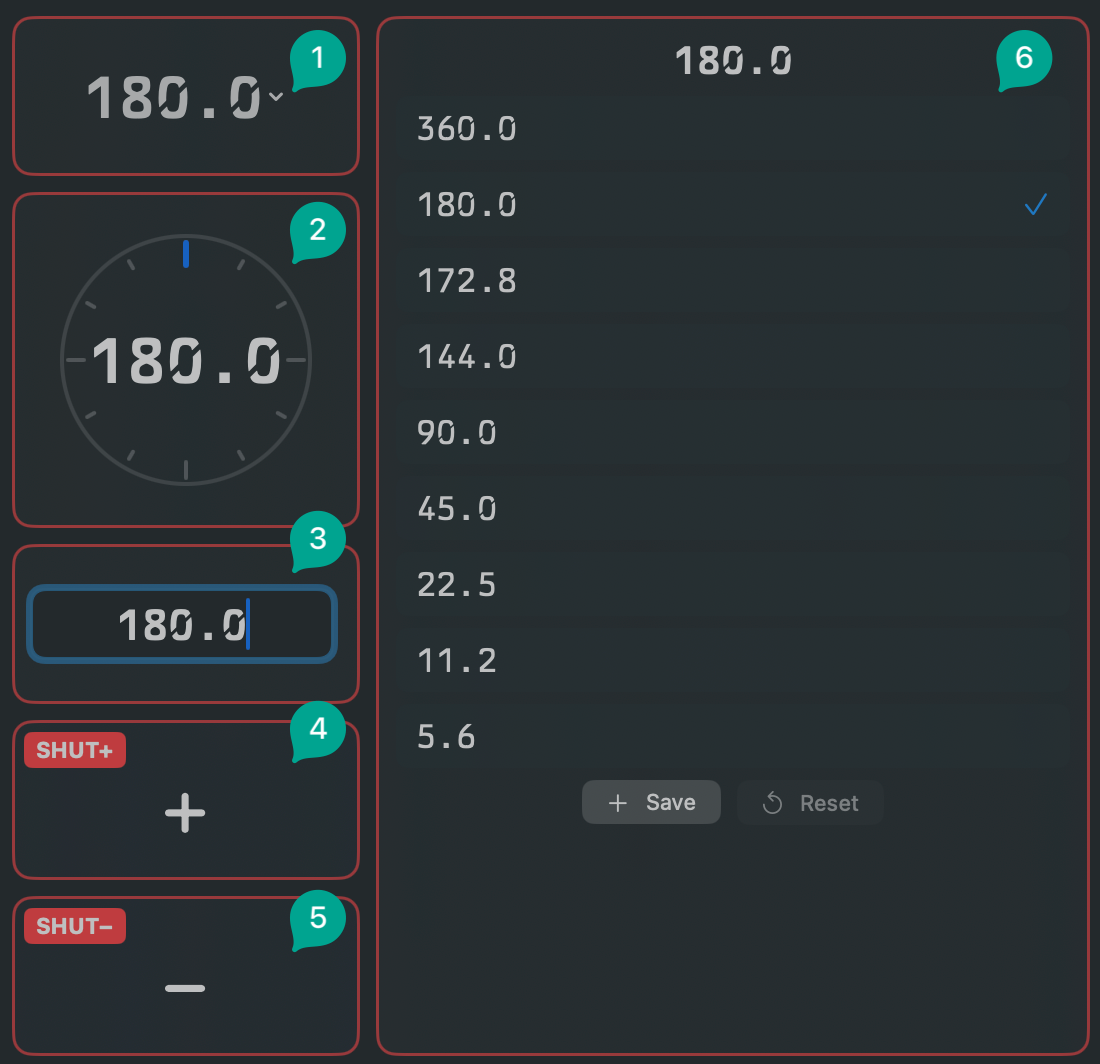
-
Shutter
 : main display and control. Shows the value in angle (e.g. 180.0°) or
speed (e.g. 1/48) mode, set in app settings.
: main display and control. Shows the value in angle (e.g. 180.0°) or
speed (e.g. 1/48) mode, set in app settings.- Config: show/hide step buttons.
-
Shutter Wheel
 : radial dial for continuous adjustment (best in fine mode).
 -
Shutter Manual
 : text entry for a direct value. Switches the camera to fine shutter mode when required.
 -
Shutter +
 : increment by one preset step.
 -
Shutter −
 : decrement by one preset step.
 -
Shutter Presets
 : scrollable list of saved preset values. Add more at the bottom.
Angle vs. speed, fine vs. preset
Choose angle or speed display and fine or preset stepping in Settings → Shutter. Manage custom presets and sync them with the camera there too (where supported).
Factory shutter presets and the valid range are camera-dependent. See Supported Cameras for your camera's values.
Exposure Index (EI)
-
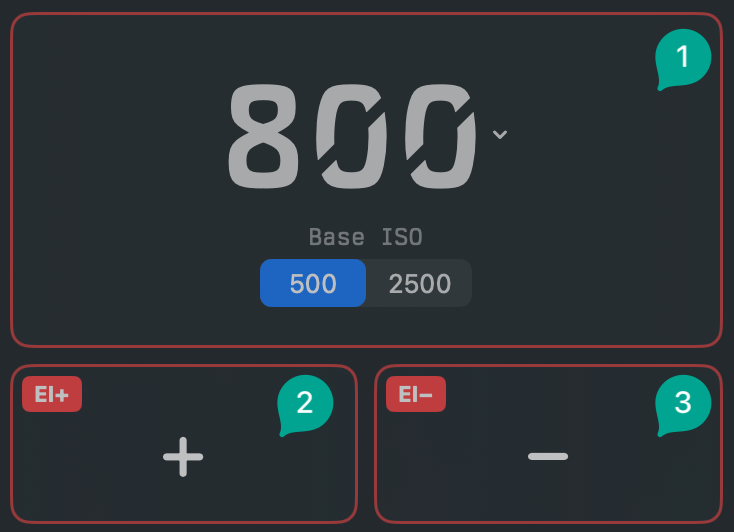
EI
 : main display with base ISO mode selection where applicable.
- Config: enable/disable base ISO toggle, require confirmation before switching base ISO (off by default), show/hide step buttons
-
EI +
: increment the exposure index. -
EI −
: decrement the exposure index.
ND Filter
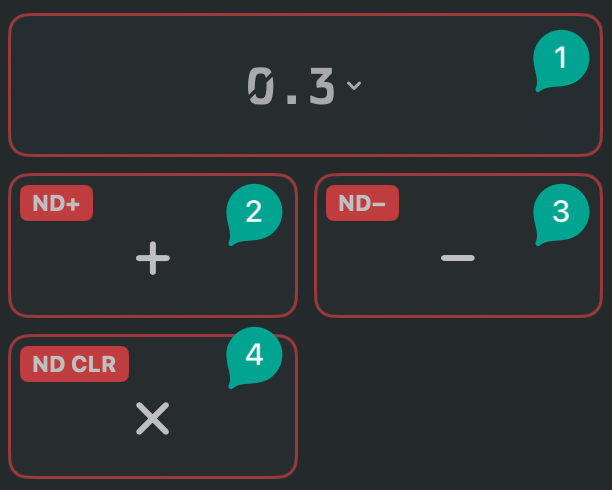
For cameras with a built-in neutral density filter.
-
ND Filter
 : display and control of the camera's internal ND filter.
- Config: show/hide step buttons
-
ND +
: increase density. -
ND −
: decrease density. -
ND Clear
 : reset to no filtration.
ND availability and values depend on the camera. Cameras without an internal ND will not offer these widgets.