Overview
bit.ctrl is a camera control application for cinema cameras. It provides a customizable, widget-based interface for controlling cameras over a network. It is available for iPadOS and macOS. It uses very little bandwidth and is optimized for wireless use.
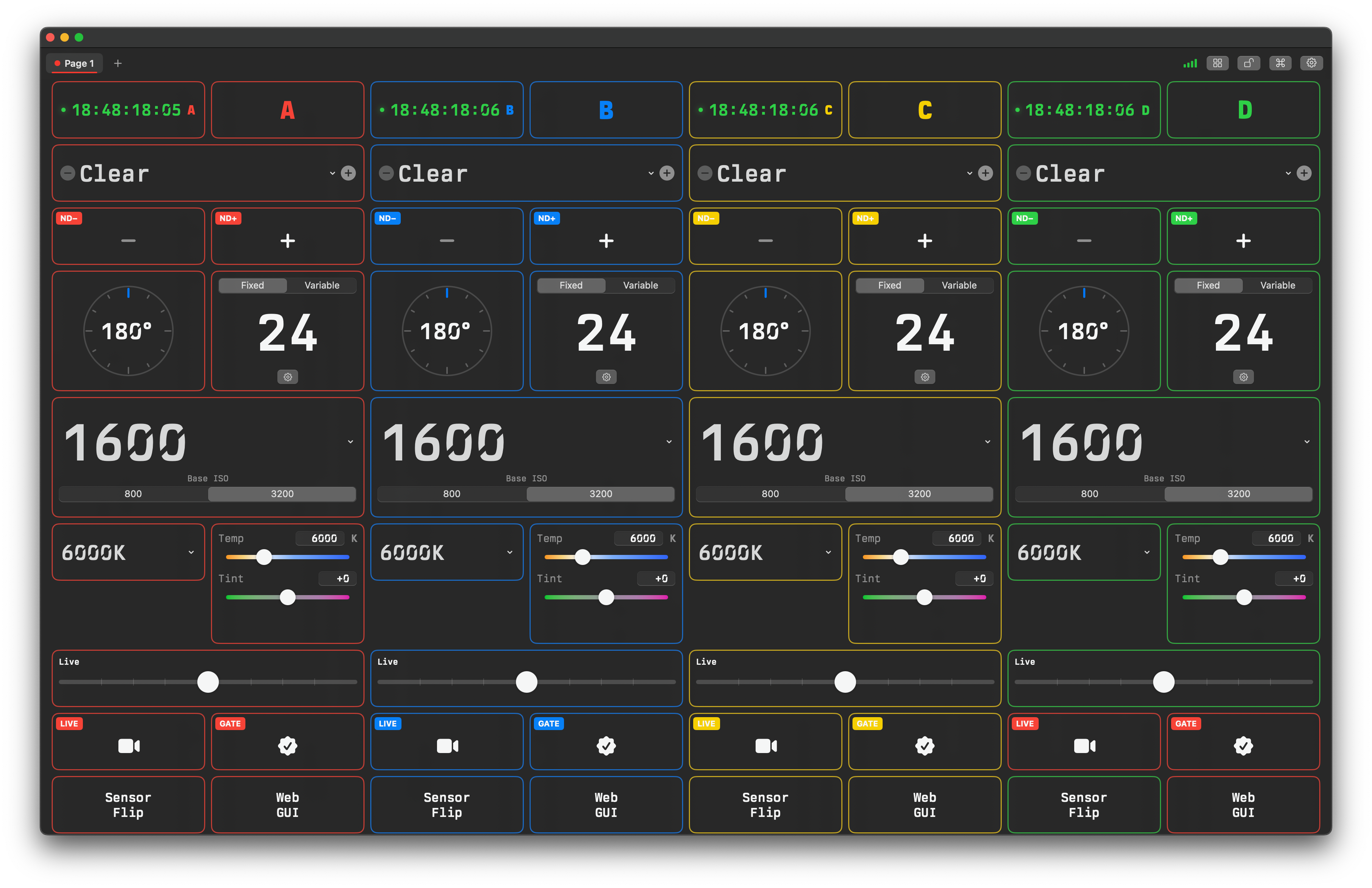
What you can do
- Build a custom control surface from a grid of widgets.
- Control multiple cameras at once, with per-tab and per-widget camera assignment.
- Save and recall camera setups with macros.
- Drive cameras from a Stream Deck or other surface via the Bitfocus Companion module.
Platforms
- iPadOS: iPadOS 18 minimum
- macOS: macOS 15
note
Most features are identical on iPad and Mac. Where an interaction differs (for example, long-press on iPad vs. right-click on Mac), a note like this one calls it out.
Supported cameras
- Sony Venice 1 / Venice 2: see Sony Venice.
Additional camera platforms are planned — including the ability to mix and match camera types on a single pane of glass in a future release. Each platform will get its own page under Supported Cameras.
For physical configuration and network/IP setup of a specific camera, see the hardware-focused Camera Configurations section.
Where to go next
- New to the app? Start with Installation.
- Want the lay of the land? Read the Interface Tour.
- Looking for a specific control? Jump to Controls or the Widget Reference.