bitbox mini-C Base Mode Assignment
bitbox mini-C can be either a remote or a base for up to two radios. It ships in remote mode.
To configure the radio mode:
-
Plug the mini-C into your computer via USB-C
-
Wait approximately 30 seconds for the device to assign itself a link-local address.
-
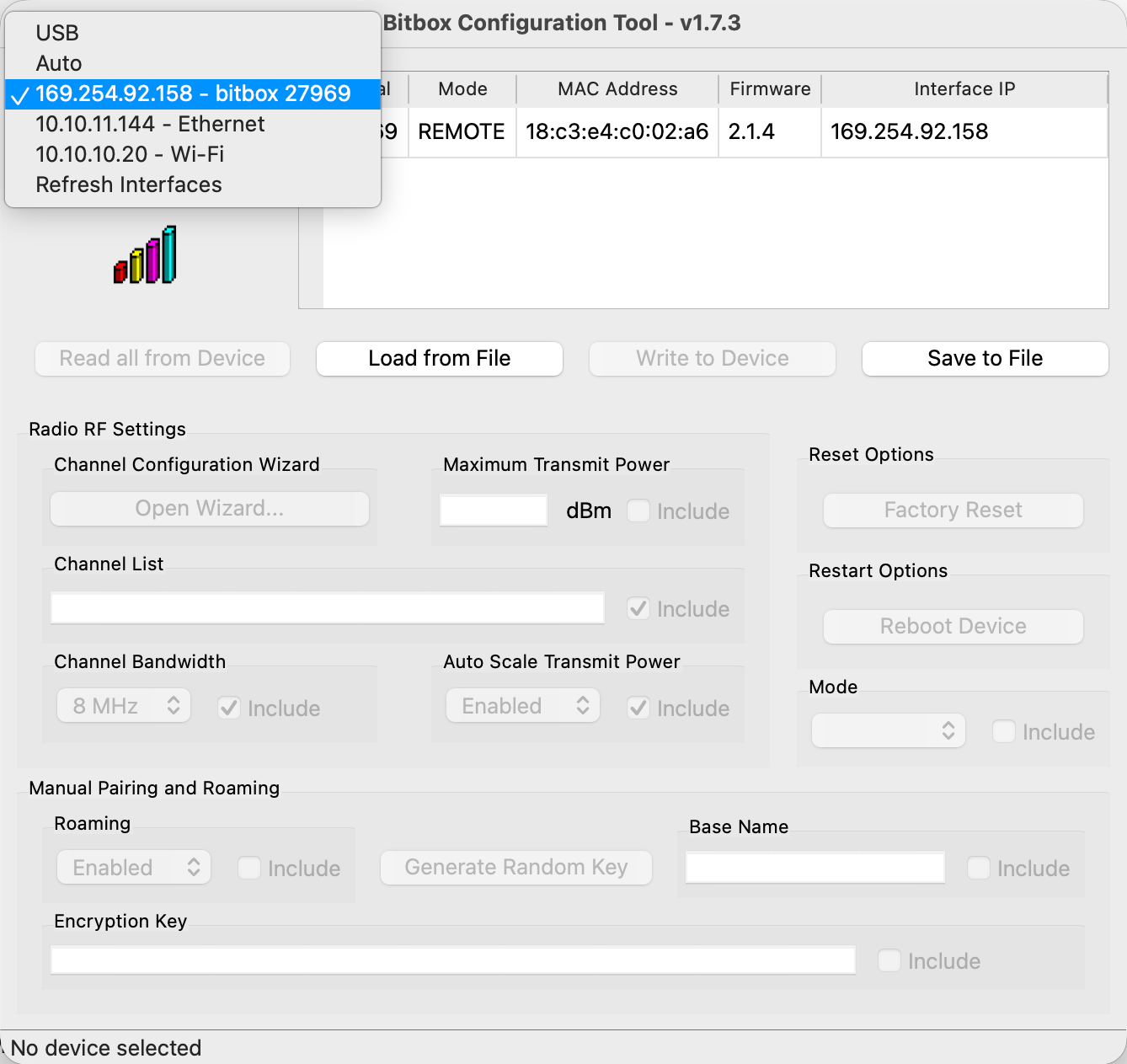
Open the bitbox utility and select the appropriate bitbox interface, if there is only one it should generally automatically select. You should see your device in the list. If not, please click "scan again."
-
Select the device from the list and click "Read all from Device"
-
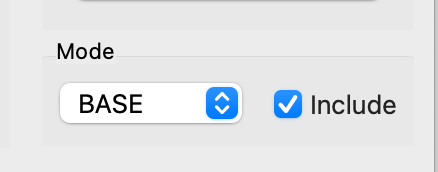
Select Mode -> Base and check "include"
-
Click "Write to Device"
tip
If your bitbox mini-C does not appear in iOS or MacOS, please check the USB-C Troubleshooting article for troubleshooting steps.